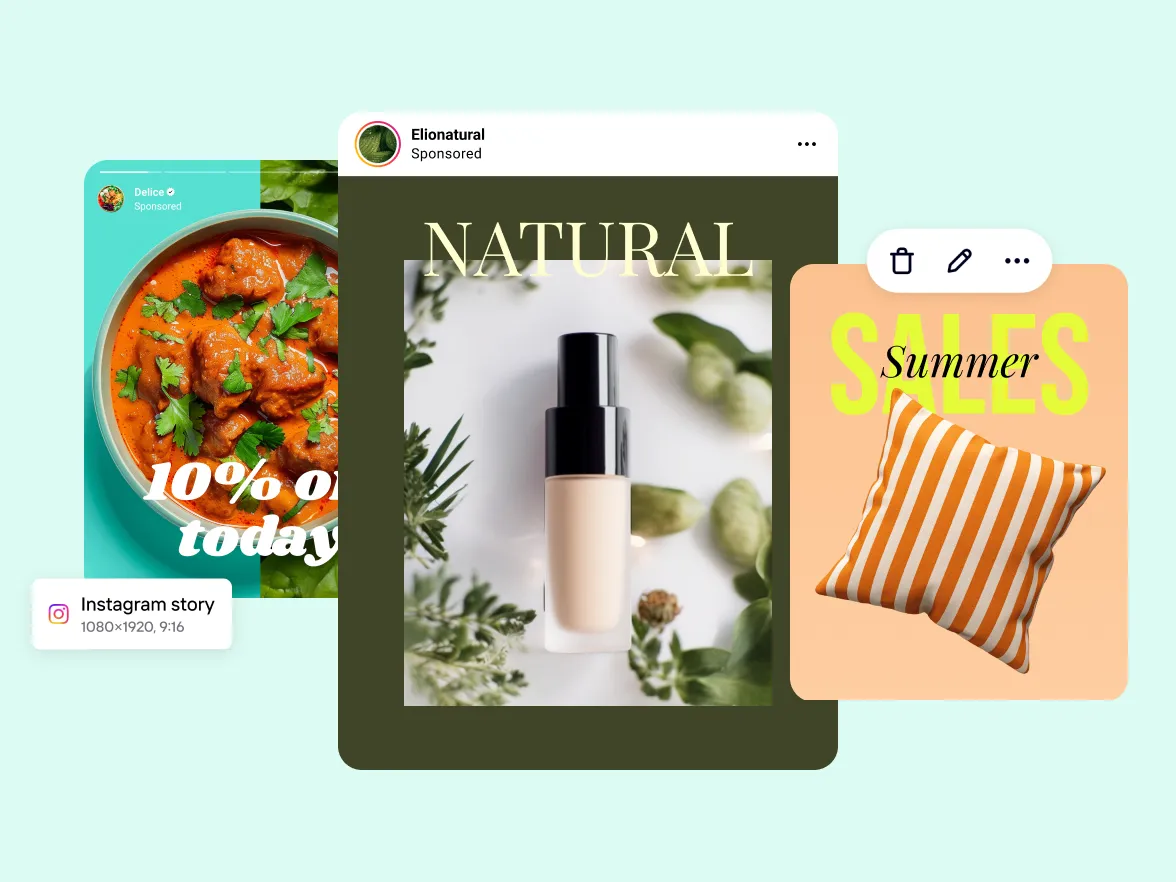
Imagine this: You need stunning images for your next Instagram post, Facebook ad, or product page. But hiring a photographer costs too much. Stock photos look generic and boring. Editing takes forever. Sound familiar?
Most marketers, small business owners, and content creators face the same struggle every day. You want eye-catching visuals that drive clicks, sales, and likes—but creating them feels slow, expensive, and frustrating. What if you could generate professional-quality images in minutes, exactly the way you want, without any design skills?
That’s where AI image prompting changes everything.
With the right text prompts, tools like Midjourney, DALL-E, Stable Diffusion, or even free options turn your simple words into photorealistic product shots, lifestyle scenes, bold ad creatives, and scroll-stopping social media graphics. No camera. No studio. No big budget.In this guide, you’ll learn how to create the best prompt for AI image generator tools to design stunning social media visuals, ads, and product images faster.
These aren’t random ideas—they’re proven, optimized structures that help you:
-
Create consistent brand visuals fast
-
Boost engagement and conversions
-
Save hours (or days) of work every week
Whether you run an e-commerce store, manage social accounts, or design ads, these templates give you the edge competitors miss. You just swap in your product details, tweak a few words, and generate winners.
Ready to stop struggling with visuals and start creating them effortlessly? Let’s dive in and unlock the full potential of AI prompts, starting with the basics that make every image stand out.
What is an AI Image Prompt Generator for Social Media?
AI image prompting is the simple process of writing a short text description (called a "prompt") that tells an AI tool exactly what kind of image you want it to create. The AI reads your words and generates a brand-new picture from nothing — in just seconds. It's like giving clear instructions to a very fast digital artist who can draw anything you describe, without you needing any drawing skills, a camera, or editing software.
For example, if you write: "A modern black smartphone on a wooden desk with soft morning light, photorealistic style, clean white background," the AI creates that exact image for you. You can make product photos for your online store, eye-catching ads for social media, beautiful Instagram posts, or anything else, all just by typing good words.
The best part? Tools like Midjourney, DALL-E, Stable Diffusion, and many free options all work this way: you type the prompt → the AI turns your text into a high-quality visual. The quality of the image depends mostly on how clear, detailed, and smart your prompt is. A vague prompt gives weird or average results, but a well-written one produces sharp, professional-looking images that match your brand or idea perfectly.
Key Elements of the Best Prompt for AI Image Generator Results
A strong AI image prompt has a few main parts that work together.
When you include all (or most) of them, the AI understands you better and gives sharp, useful images — perfect for ads, products, or social posts.
Here are the key elements, explained simply:
-
Subject (Main Thing): This is what the picture is about. Put it first. Example: “a modern wireless earbuds case” or “a smiling young woman in casual clothes”.
-
Style / Artistic Loo:k Say how realistic or artistic you want it. Examples: “photorealistic”, “high detail 4K”, “minimalist flat design”, “vibrant cartoon style”, “in the style of fashion magazine photography”.
-
Setting / Background: Where is it happening? Examples: “on clean white studio background”, “in cozy modern living room”, “against tropical beach sunset”, “isolated no background”.
-
Lighting and Mood. This makes the image feel right. Examples: “soft natural window light, warm cozy mood”, “dramatic golden hour sunset, energetic vibe”, “cool blue neon lights, futuristic feel”.
-
Composition / Angle / Shot Type: How is the camera positioned? Examples: “close-up shot”, “wide angle view”, “3/4 front angle”, “flat lay from above”, “hero product centered”.
-
Details and Color:s Small things that make it pop. Examples: “matte black finish, gold accents”, “vibrant red and white colors”, “fresh dew drops on leaves”, “high resolution textures”.
-
Technical Specs (Very Important for Marketing:) Control size and quality. Examples: “square 1:1 ratio for Instagram”, “wide 16:9 for ad banner”, “--ar 9:16 for Reels”, “high resolution 4K, sharp focus”.
-
Negative Prompts (What to Avoid:) Tell the AI what NOT to include. Add at the end: “--no blur, --no text, --no people, --no distortion, --no low quality, --no watermark”.
Basic strong prompt formula you can copy:
“[Style] [Subject] in [Setting], [Lighting + Mood], [Composition + Details], [Technical Specs] --no [bad things]”
Quick example using all elements:
“Photorealistic product shot of sleek silver smartwatch on minimalist white marble surface, soft natural morning light, warm inviting mood, centered 3/4 angle close-up, high detail textures, 2000x2000 pixels square format --no blur --no text --no people”
Use these elements every time — start with 4-5, then add more as you practice.
Your images will look pro, consistent, and ready for ads or e-commerce.
How to Write the Best Prompt for AI Image Generator
Writing effective AI image prompts is easy when you follow a clear structure.
You tell the AI what you want in simple, detailed words — the more precise you are, the better the picture comes out.
No fancy language needed. Just describe like you're talking to a friend who draws for you.
Use this basic step-by-step method every time:
-
Start with the main subject: Name the key thing first. Example: “A sleek black smartphone” or “A young woman in a red dress modeling clothes”.
-
Add the setting or background. Say where it is. Example: “on a clean white table” or “in a sunny park with green trees”.
-
Choose the style.e Decide if it's a realistic photo, artistic, cartoon, etc. Example: “photorealistic high detail” or “vibrant fashion magazine style”.
-
Describe lighting and mood: This gives a feeling to the image. Example: “soft golden hour sunlight, warm cozy vibe” or “dramatic studio lights, energetic mood”.
-
Include composition and angle: Tell how to frame it. Example: “close-up from above, flat lay” or “3/4 front view, centered product”.
-
Add extra details: Colors, textures, and extras that matter. Example: “matte finish, gold accents, fresh dew on leaves”.
-
End with technical stuff: Control size and quality for ads/social. Example: “square 1:1 ratio, high resolution 4K” or “wide 16:9 for banner ad”.
Put it together like this simple formula:
“[Style] [Subject] in [Setting], [Lighting and Mood], [Composition and Details], [Format] --no [things to avoid].”
Real examples you can copy and change:
-
Product shot: “Photorealistic black leather wallet isolated on white background, soft natural light, sharp focus, e-commerce style, square 1:1 --ar 1:1 --no blur --no text.”
-
Ad creative: “Bold summer sale banner with tropical beach scene, colorful umbrellas and waves, vibrant mood, space for text in center, wide 16:9 format --ar 16:9.”
-
Social post: “Cozy flat lay of coffee mug and laptop on wooden desk, pastel colors, morning light, Instagram aesthetic, square 1:1 --ar 1:1.”
Add negative prompts at the end to stop problems:
“--no blur, --no distortion, --no people, --no low quality, --no watermark”
Start short and simple.
Generate once. If it's not right, add or change one part and try again.
Do this 2-3 times — you get great results fast
AI Image Prompt Tips for Consistency and Quality
You want your AI images to look consistent and high-quality every time.
These practical tips help you get better results fast.
Use them on every prompt — they make a big difference.
-
Always start with the same structure: Use the same order: style first, then subject, setting, lighting, details, format. This trains the AI to understand your style quickly and keeps everything consistent.
-
Repeat key brand words in every prompt: Add your brand colors, vibe, or look every single time. Example: “minimalist white and navy blue colors, clean modern style” — paste this in all your prompts for the same brand.”
-
Control aspect ratio every time: Never forget it. Use --ar 1:1 for Instagram squares, --ar 16:9 for banners, --ar 9:16 for stories. This stops bad cropping on platforms.
-
Use the same negative prompts as a base: Keep a short list ready: --no blur --no distortion --no low quality --no watermark --no extra limbs --no text. Add it to the end of every prompt. This cuts out 90% of common ugly mistakes.
-
Keep prompts short but detailed: Aim for 50–100 words. Too long confuses the AI. Too short gives random results. Focus on the most important 6–8 things.
-
Reference the same artists or styles for brand look: Pick 1–2 styles you like and reuse them. Example: “in the style of clean Apple product photography” or “minimalist editorial fashion shot”. This creates a consistent feel across all images.
-
Generate in batches and pick the best: Make 4–6 versions of the same prompt at once. Choose the winner, then refine it slightly for the next round. This is faster than fixing one bad image.
-
Use weights to emphasize important parts: Put: 2 after the most important word to make it stronger. Example: “red sneakers::2 on white background” — the sneakers get more attention.
-
Test lighting words carefully: Lighting changes mood a lot. Reuse winners like “soft natural daylight” or “golden hour warm light” for consistent quality.
-
Save your best prompts as templates: Once you find a prompt that works great, copy it into a note. Change only the product or subject next time. This saves hours and keeps quality high.
Common AI Image Prompt Mistakes and How to Avoid Them
Most people make the same few mistakes when they start using AI image prompts.
These errors waste time and give bad results.
The good news is you can fix them easily.
Here are the top 10 common mistakes — plus exactly how to avoid each one.
-
Being too vague: You write something short like “nice product photo” or “beautiful girl”. The AI has no idea what you really want, so it guesses and usually gets it wrong. Fix: Add clear details right away. Say exactly what the subject is, where it is, and how it should look. Example: Instead of “nice watch”, write “sleek silver smartwatch on white marble table, close-up shot”.
-
Putting the most important words at the end: The AI pays more attention to words at the beginning of the prompt. If you bury the style or main subject at the end, it gets ignored. Fix: Put the subject and style first. Good: “Photorealistic black leather bag in studio lighting.” Bad: “…in studio lighting, photorealistic black leather bag”.
-
Forgetting aspect ratio and format You get a square image when you need wide for an ad banner or vertical for a story. The platform crops it badly and ruins the look. Fix: Always add the ratio at the end. --ar 16:9 for banners, --ar 1:1 for Instagram feed, --ar 9:16 for Reels/Stories.
-
Not using negative prompts: Images come with blur, weird hands, extra people, text overlays, or ugly artifacts. Fix: Add a short negative list every time. Example: --no blur --no text --no people --no distortion --no low quality --no watermark.
-
Writing super long and messy prompts: You cram too many ideas (20+ lines), and the AI gets confused. It ignores half of what you wrote. Fix: Keep prompts 50–120 words max. Focus on 6–8 key things only. Cut anything extra.
-
Skipping lighting and mood: The image looks flat, dull, or wrong vibe (too dark, too bright, no emotion). Fix: Always describe light and feeling. Examples: “soft natural window light, warm cozy mood” or “dramatic golden hour, energetic vibe”.
-
Not testing small changes: You generate one image, hate it, and stop. Fix: Change only one or two words and generate again. Try 3–5 versions. Small tweaks (like “studio light” → “golden hour”) fix most problems.
-
Using different prompts for the same brand: Images look random — one bright, one dark, different colors. No consistent brand feel. Fix: Create one “brand base” phrase and copy it into every prompt. Example: “minimalist style, white and navy blue colors, clean modern look” — add it every time.
-
Ignoring tool-specific tricks: You use the same prompt in Midjourney, DALL-E, and Stable Diffusion and get very different results. Fix: Learn 2–3 quick extras for each tool: Midjourney: --ar --v 6 --stylize DALL-E: Keep it natural language Stable Diffusion: Heavy negatives work best.
-
Not saving good prompts: You find a perfect one, but lose it next time. Fix: Keep a simple note or document with your best 5–10 prompts. Reuse and tweak them instead of starting from zero.
Fix these mistakes one by one.
Start with adding negatives and aspect ratio — those give the fastest improvement.
After a few tries, your images will look cleaner, sharper, and more professional.
You avoid frustration and save hours.
Your ads, product shots, and social posts start performing better because they look consistent and high-quality.
Prompt for AI Image Generator Example Across Different Tools
Here are real, ready-to-use AI image prompt examples that work well across popular tools like Midjourney, DALL-E, Stable Diffusion, and others.
I grouped them by common use cases (ads, product models, social media) so you can find what you need quickly.
Just copy the prompt, replace the parts in [brackets] with your own details, and paste it into your tool.
1. E-commerce Product Shot (Clean, isolated look – great for shop listings)
Prompt:
“Photorealistic close-up of [product name, e.g., black wireless earbuds] isolated on pure white background, soft even studio lighting, sharp focus, high detail textures, professional e-commerce packshot, square format --ar 1:1 --no blur --no text --no shadows --no people.”
Best in: DALL-E or Midjourney (add --v 6 in Midjourney for sharper results)
2. Banner / Display Ad (Wide format with text space)
Prompt:
“Dynamic wide banner ad for [product or sale, e.,g. summer fashion collection], vibrant tropical beach background with palm trees, bold energetic colors, space for large white text overlay in the center, cinematic golden hour lighting, wide landscape format --ar 16:9 --no blur --no people in text area.”
Best in: Midjourney (use --stylize 400 for more punchy look) or Stable Diffusion
3. Instagram Feed Post (Square, aesthetic vibe)
Prompt:
“Aesthetic flat lay of [items, e.g,. coffee mug, notebook, flowers] on wooden table, pastel soft colors, cozy morning light from window, top-down view, relaxing lifestyle mood, Instagram-worthy composition, square 1:1 ratio --ar 1:1 --no clutter --no text.”
Best in: Any tool – DALL-E gives very clean results here
4. Lifestyle / Contextual Product Scene
Prompt:
“Happy young woman using [product, e.g., red yoga mat] in bright modern living room, natural daylight pouring through large windows, relaxed and motivated mood, photorealistic, medium shot from slight low angle --ar 4:5 --no distortion --no extra objects”
Best in: Midjourney or Stable Diffusion (they handle people + products well)
5. Video Thumbnail / Reels Cover (Eye-catching vertical)
Prompt:
“Bold vertical thumbnail for short video, close-up of [subject, e.g. person holding smartphone with excited expression], dramatic neon lighting, vibrant purple and pink colors, high energy mood, text space at bottom, cinematic style --ar 9:16 --no blur --no low quality”
Best in: Midjourney (add --chaos 20 for more creative variations)
6. Hero Image for Website (Big background visual)
Prompt:
“Epic wide hero image of [product, e.g., luxury watch] floating above misty mountain landscape at sunrise, dramatic cinematic lighting, ultra high detail, inspirational mood, wide cinematic format --ar 21:9 --no text --no people”
Best in: DALL-E 3 or Midjourney (great for dramatic scenes)
Quick Tips for Using These Across Tools
-
Midjourney: Add --v 6 --stylize 250–600 --q 2 at the end for quality
-
DALL-E: Keep prompts natural (no-- ar needed, describe ratio in words)
-
Stable Diffusion: Use stronger negatives and add “masterpiece, best quality” at the start
-
Always test 3–4 variations by changing one word (e.g., “golden hour” → “studio light”)
Copy any of these, tweak for your brand/product, and generate.
You’ll get professional-looking images in minutes.
Practice with 2–3 of them today — you’ll see how fast you improve.
AI Product Photo Prompt Templates for E-commerce
Ads need to grab attention fast, show the product clearly, create urgency or desire, and leave space for text/CTAs.
These ready-to-use AI prompt templates help you generate high-converting visuals for platforms like Facebook, Google, Instagram, or YouTube.
They follow best practices: strong subject focus, bold colors, good lighting, and text-safe space.
Copy any template, replace [brackets] with your details, and add tool-specific extras (like --ar or --v 6).
Banner and Display Ad Prompts
These work for horizontal banners (Google Ads, Facebook sidebars, website headers).
Focus on the wide format and the big text area.
-
Simple Sale Banner “Bold wide banner ad for [product/sale, e.g. 50% off summer dresses], vibrant background with colorful summer elements, excited woman holding dress in foreground, bright energetic mood, large empty space in center for white CTA text 'Shop Now', cinematic lighting, wide 16:9 format --ar 16:9 --no blur --no small text”
-
Product-Focused Display Ad “Photorealistic wide display ad featuring [product, e.g., wireless headphones] floating on gradient blue background, soft glow around product, high detail, premium feel, ample space at bottom for headline and button, modern minimalist style --ar 728:90 --no people --no distortion.”
-
Urgent Promo Banner “Dynamic banner ad for limited-time offer on [product, e.g. smartphones], red and black urgent colors, dramatic spotlight on product, countdown timer space in corner, high energy mood, wide landscape format --ar 16:9 --no clutter --no low quality.”
Video Thumbnail and Carousel Ad Prompts
Thumbnails need to stop scrolling — use faces, bold text, space, and high contrast.
Carousel ads show multiple angles or benefits in one ad set.
-
Eye-Catching Video Thumbnail “Striking vertical thumbnail for ad video, close-up of happy person using [product, e.g., skincare cream] with glowing skin, dramatic before/after split, bright exciting colors, big text space at bottom 'Transform Your Skin!', high contrast, vertical 9:16 format --ar 9:16 --no blur.”
-
Carousel Ad Set (Multi-Image Style) “Series of carousel ad frames for [product line, e.g. fitness supplements], each showing different flavor/variant on clean white background, vibrant product close-ups, lifestyle inset images of people using it, consistent branding colors, square format for easy carousel --ar 1:1 --no text --no people in main shot” (Generate 4–5 variations and combine in your ad manager.)
-
Storytelling Carousel “Carousel ad sequence for [product, e.g., new sneakers], first frame: problem (tired feet), second: product solution close-up, third: happy user running, fourth: call-to-action with price, energetic urban street background, consistent style across frames, square 1:1 --ar 1:1.”
Retargeting and Dynamic Ad Prompts
Retargeting ads remind users of viewed items — keep it personal, show the exact product, add urgency.
-
Retargeting Product Reminder “Personalized retargeting ad showing exact [viewed product, e.g., blue jacket] user looked at, floating on soft gray background, 'Still thinking about this?' text space at top, subtle urgency with 'Limited stock' badge, photorealistic, wide format --ar 1200:628 --no extra items.”
-
Dynamic Abandoned Cart Ad “Dynamic retargeting ad for abandoned cart items, multiple products arranged neatly on a table (e.g. shoes + bag), warm inviting lighting, 'Complete your purchase' headline space, high detail e-commerce style, landscape format --ar 16:9 --no blur --no distortion.”
-
Upsell Retargeting “Upsell retargeting visual for [related product, e.g., matching accessories with main item], complementary items styled together in lifestyle scene, premium mood, 'Complete the look' text area, soft natural light --ar 1:1 for feed --no text overlay.s”
AI Image Prompt Templates for Product Models
These templates generate professional product visuals suitable for online stores and catalogs. Replace placeholders in [brackets] with specific details.
E-commerce Product Shot Prompts
-
Isolated product view “Photorealistic [product description, e.g. matte black wireless earbuds case] centered on seamless white background, even soft studio lighting, slight 3/4 angle, ultra-sharp focus, high-resolution textures, standard e-commerce format --ar 1:1 --no blur --no shadows --no text -no reflections.”
-
Premium angled shot “Detailed product photograph of [product, e.g. stainless steel smartwatch] on neutral gray gradient background, directional soft light from left, 45-degree elevation angle, clean minimalist composition, professional catalog quality --ar 4:5 --no people --no distortion --no extra objects.”
Packshot and Flat Lay Prompts
-
Straight packshot “Front-facing packshot of [product, e.g,. luxury perfume bottle] perfectly centered on pure white background, balanced even illumination, no visible shadows, maximum sharpness, minimalist e-commerce packshot style --ar 1:1 --no background elements --no glare.”
-
Organized flat lay “Top-down flat lay composition featuring [product and complementary items, e.g,. skincare set arranged symmetrically] on light oak wood surface, diffused natural window light, harmonious pastel tones, balanced and clean layout --ar 1:1 --no hands --no clutter --no text.”
These templates produce consistent, high-quality images optimized for e-commerce platforms. Adjust lighting descriptors or background tones to match brand guidelines, and always include negative prompts to eliminate common artifacts
Prompt for AI Image Generator for Social Media Posts
These templates produce engaging visuals optimized for social platforms. Replace [brackets] with your specific content.
Instagram Feed and Story Prompts
-
Aesthetic feed post “Lifestyle flat lay composition of [product/items, e.g. coffee mug, open journal, dried flowers] on textured linen surface, soft diffused natural light, warm neutral tones, balanced symmetrical arrangement, calming aesthetic suitable for Instagram feed, square format --ar 1:1 --no text --no hands --no clutter.”
-
Vertical story graphic “Vertical Instagram story visual featuring [product, e.g. skincare bottle] centered with subtle glow, minimalist white background, elegant serif text space at bottom, soft pastel gradient overlay, clean modern look --ar 9:16 --no blur --no extra elements”
Prompt for AI Image Generator for Social Media TikTok and Reels
-
High-energy thumbnail “Dynamic vertical thumbnail for TikTok/Reels, close-up of [subject/action, e.g. person applying makeup with excited expression], vibrant contrasting colors, dramatic side lighting, high contrast, bold text space at lower third, energetic viral style --ar 9:16 --no low quality --no distortion.”
-
Before/after style thumbnail “Split-screen vertical thumbnail showing before and after transformation using [product, e.g. hair styling tool], left side dull hair, right side glossy styled hair, bright even lighting, clear division line, motivational mood --ar 9:16 --no text overlays --no artifacts
Specialized AI Image Prompt Templates for E-commerce Brands
These templates focus on advanced e-commerce needs beyond basic shots.
Lifestyle and Contextual Scenes
-
Everyday use scene “Photorealistic lifestyle image of [product, e.g., portable blender] in use on kitchen counter, fresh fruit ingredients around, natural daylight from window, warm inviting atmosphere, relatable home setting --ar 4:5 --no blur --no text --no extra clutterr”
-
Outdoor contextual shot “Active lifestyle scene showing [product, e.g. running shoes] during jog in urban park, dynamic motion blur on background, golden hour sunlight, energetic and motivational mood --ar 3:4 --no distortion --no people faces if not needed”
AI-Generated Models for Fashion/Apparel
-
Studio fashion model “Professional studio photograph of diverse female model wearing [apparel, e.g., navy blue tailored blazer and white shirt], neutral gray seamless background, soft even lighting, confident pose, high-fashion editorial style, full-body shot --ar 2:3 --no text --no accessories unless specified.”
-
Lifestyle fashion presentation “Casual lifestyle shot of young male model in [outfit, e.g. casual denim jacket and chinos] walking in modern city street, natural overcast daylight, relaxed pose, streetwear vibe, medium shot --ar 4:5 --no harsh shadows --no background distractions
Conclusion
Mastering AI image prompting is a skill that gets stronger with practice.
Every prompt you write teaches you how the AI responds to words, how details shape the output, and how to get exactly what you need for ads, product photos, or social posts.
The core things covered in this guide—clear subject, strong style, right lighting, good composition, aspect ratio, and negative prompts—work on every tool (Midjourney, DALL-E, Stable Diffusion, etc.). These techniques help create the best prompt for AI image generator results for modern visual content.
These basics will always help you, even as new tools come out. But the biggest jump in quality comes when you combine smart prompting with the right workflow.
Basic free generators are good for testing, but for real business results (consistent brand look, fast production, ready-to-use files), tools that support reference images, advanced models like FLUX, and full creative flow make a huge difference.
For e-commerce sellers, marketers, and content creators around the world, the real edge is not just writing better prompts — it's using skilled prompts + professional-grade tools to create visuals that actually drive sales, engagement, and trust using a strong prompt for AI image generator for social media strategy.