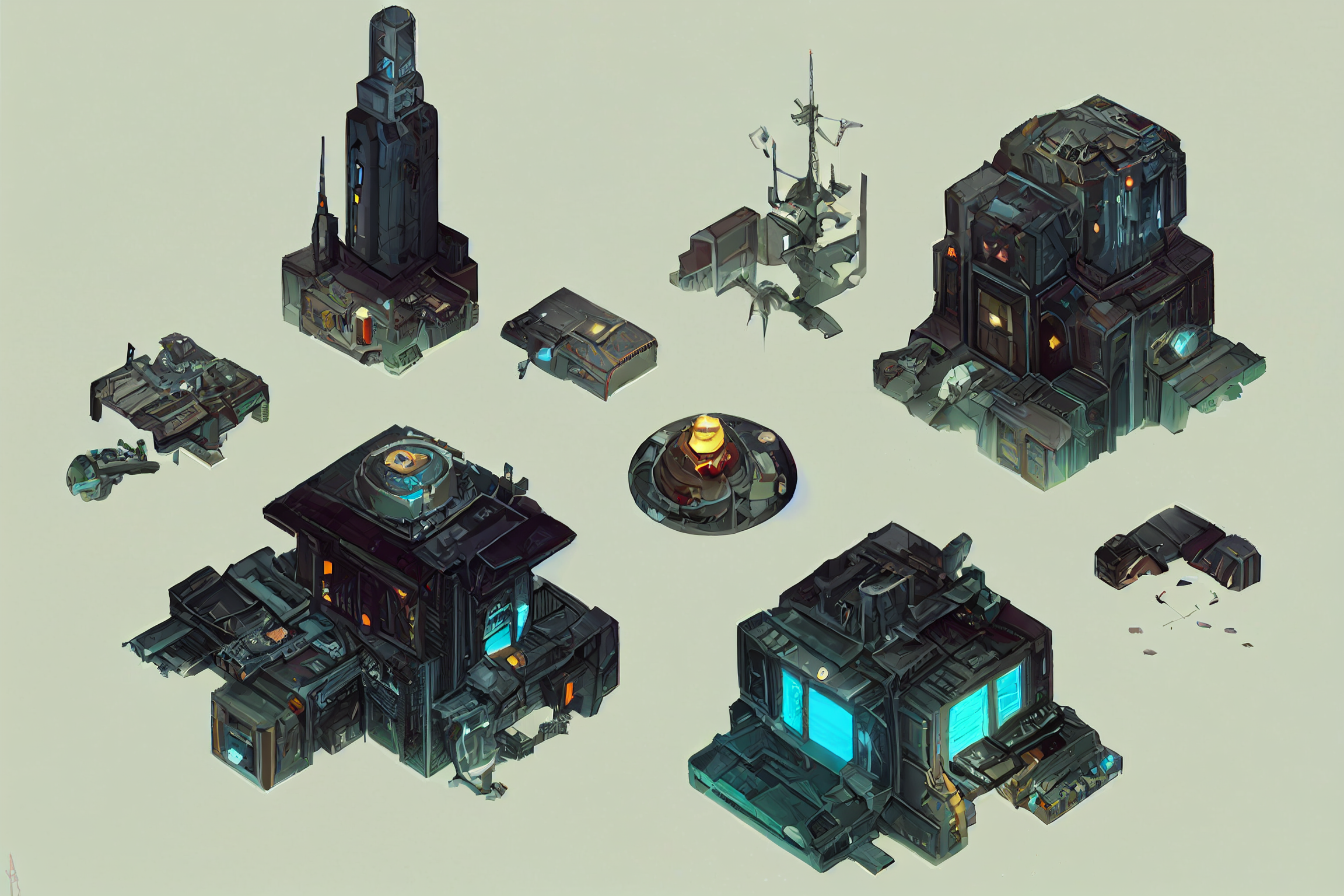
Yes, you can create game assets with AI in 2026.
Indie developers already ship games with AI-generated sprites, 3D models, textures, and backgrounds. Tools turn a text prompt into usable assets in minutes instead of days. Solo creators and small teams now build custom art libraries without hiring full art staff or buying generic packs.
Raw output rarely ships as-is. You still need human direction for consistency, clean topology, animation frames, and commercial rights. Environment props, concept art, and textures perform best. Complex character animation, precise UI, and tight pixel-art styles still demand heavy cleanup.
This guide shows exactly what works today, which tools deliver in real pipelines, a clear step-by-step workflow from prompt to engine, the legal rules you must follow, and a simple framework for deciding when AI is enough versus when you should hire an artist.
What Game Assets Can AI Actually Create Right Now?
Developers create game assets with AI across several categories, but results vary sharply by type.
2D Sprites, Characters and UI Icons
Tools such as Scenario, Leonardo.ai and PixelLab generate character sprites, item icons and interface elements from text prompts or reference images. Pixel art and simple cartoon styles deliver the cleanest results. Most teams still remove backgrounds, clean edges and resize the files before they import them into an engine. Style locking or careful prompt reuse keeps characters consistent across a full set.
3D Models and Props
Meshy and Tripo lead the pack for 3D work. They turn text or images into environment props, weapons and simple characters in under two minutes, often with basic PBR textures and auto-rigging. Props and static objects usually need only light cleanup. Hero characters still require topology fixes, better UVs and manual polishing before animation.
PBR Textures and Materials
AI shines brightest here. Current tools generate complete material sets albedo, normal, roughness and metallic maps that tile reliably in most engines. Many developers drop these straight into floors, walls and surfaces after a quick test.
Backgrounds, Tilesets and Environments
AI produces parallax backgrounds, skyboxes and environment concepts at high speed. Tileable textures and simple tilesets work well for prototypes and mobile games. Complex multi-layer parallax or detailed isometric scenes still need human assembly and edge correction.
Animation and Sprite Sheets
Basic idle, walk and attack cycles are possible, especially inside pixel-art tools that support skeletons. Frame-to-frame consistency remains the weakest link. Most teams generate base frames with AI and then clean or redraw key poses by hand to stop flicker.
Audio
Tools like Suno and ElevenLabs create usable music loops and sound effects for prototypes and smaller projects. Final releases almost always replace them with professional libraries for better quality and variety.
Quick Quality Snapshot
Environment props, textures, simple icons and concept art often ship with light work. Character sprites, basic 3D models and tilesets need moderate cleanup. Complex animation, precise UI systems and large consistent pixel-art sets still demand heavy human effort.
AI accelerates the first large stretch of asset production. Human direction still delivers the final cohesion and polish that players notice.
Best AI Tools for Game Asset Creation in 2026
Developers create game assets with AI using a focused set of tools that deliver real production value. Below is a clear, technical breakdown of the strongest options available right now, including pros, cons, and pricing.
Meshy – Best Overall 3D Pipeline
Meshy generates 3D models from text or images, adds automatic PBR textures, performs auto-rigging, and exports cleanly to Unity, Unreal, and Blender.
Best for: Environment props, weapons, simple characters, and full 3D pipelines.
Pros:
-
Delivers the most complete end-to-end workflow in one tool
-
Produces usable topology and PBR maps faster than most competitors
-
Supports direct engine export with minimal extra steps
Cons:
-
Complex hero characters still need topology and UV cleanup
-
Free credits run out quickly during heavy use
Pricing: Free tier with limited monthly credits. Paid plans start around $15 per month.
Scenario – Best for Style-Consistent 2D Assets
Scenario allows teams to train custom models on their own art style so every new asset matches the existing visual direction.
Best for: Character sprites, item icons, UI elements, and any project that needs strict visual consistency.
Pros:
-
Excellent style locking through custom model training
-
Strong results for character sets and interface art
-
Reduces visual drift across large asset libraries
Cons:
-
Training a reliable custom model takes time and good reference images
-
3D capabilities remain limited compared to dedicated 3D tools
Pricing: Limited free tier. Paid plans start near $20 per month.
PixelLab – Best for Pixel Art and Animation
PixelLab specializes in clean pixel-art generation and supports skeleton-based animation with multi-direction frames.
Best for: 2D pixel-art games that need sprites and basic animation cycles.
Pros:
-
Produces sharp, game-ready pixel art with good control
-
Includes useful animation tools for idle, walk, and attack cycles
-
Works well for both characters and tilesets
Cons:
-
Limited value for non-pixel or 3D projects
-
Complex animations still require manual frame cleanup
Pricing: Generous free tier available. Paid plans stay affordable for indie budgets.
Leonardo.ai – Strong All-Rounder for 2D and Textures
Leonardo generates high-quality 2D concept art, sprites, and materials with solid style control and fast iteration.
Best for: Rapid concepting, texture creation, and flexible 2D asset generation.
Pros:
-
Fast generation speed with good prompt understanding
-
Strong free daily allowance for testing and prototyping
-
Versatile across concept art, icons, and materials
Cons:
-
Style consistency across large sets needs careful management
-
Output often requires more cleanup than specialized tools
Pricing: Free daily tokens available. Paid plans unlock higher limits and better models.
Tripo – Fastest 3D Iteration
Tripo focuses on speed and creates 3D meshes from text or images in seconds.
Best for: Rapid prop testing and early-stage 3D exploration.
Pros:
-
Extremely fast generation times
-
Useful for quick visual feedback during design
Cons:
-
Topology quality sits below Meshy
-
Less complete texturing and rigging pipeline
Pricing: Free tier available. Paid plans start around $12 per month.
Recommended Free Starting Stack
Many solo developers combine Meshy free credits, Leonardo daily tokens, Mixamo for auto-rigging, and Blockbench for final cleanup. This zero-cost combination covers basic 3D models, textures, and simple animation for prototypes and game jams.
No single tool covers every need. Most effective teams choose one strong 3D tool and one strong 2D tool, then lock their visual style early in production.
How to Create Game Assets with AI – Step-by-Step Pipeline
Follow this practical six-step process to turn AI outputs into engine-ready game assets. Each step focuses on a clear action that improves quality, consistency, and legal safety.
Step 1: Define a Precise Asset Specification
Write a short specification before you generate anything. Include the asset type, exact art style, color palette, silhouette needs, camera angle, resolution, and technical requirements such as power-of-two size or transparency.
A written spec forces clarity and prevents wasted generations that look good but fail in-game.
Step 2: Generate in Tight Controlled Batches
Create only 6 to 12 variations in each round. Review every result immediately, keep the strongest two or three, and discard the rest. Change just one variable (pose, lighting, detail level, or angle) between batches.
Small controlled batches produce higher usable yield than large random generations.
Step 3: Clean and Technical-Prepare Every Asset
Remove backgrounds, fix jagged edges, correct mesh topology, repair UV issues, and confirm textures tile without seams. Resize all images to power-of-two dimensions and apply consistent file naming.
Clean technical preparation prevents import errors and performance problems later in the engine.
Step 4: Enforce Style Consistency Across the Full Set
Reuse the same style reference images, custom-trained model, or detailed prompt template for every related asset. Generate characters, props, environments, and UI elements under identical visual rules.
Strict style enforcement stops assets from looking like they belong to different games.
Step 5: Import and Test Directly in the Game Engine
Bring the cleaned assets into Unity, Godot, or Unreal as soon as they are ready. Check real-world scale, pivot points, material response, animation playback, collision, and frame rate impact. Fix issues immediately before creating more assets.
Early engine testing reveals problems that stay hidden in isolation.
Step 6: Verify Commercial Rights and Platform Rules
Review the license terms of every AI tool you use. Confirm commercial usage rights and check whether Steam, the App Store, or Google Play requires AI disclosure for your project. Keep simple documentation of your process.
This final check protects you from legal and platform rejection risks at release.
This pipeline keeps AI generation focused, consistent, and production-safe. Developers who follow these six actions move faster while avoiding the most common quality and compliance failures.
Pros and Cons of Creating Game Assets with AI
Pros
-
Speed: You generate multiple variations of sprites, props, textures, and concepts in minutes instead of hours or days.
-
Lower Cost: Solo developers and small teams reduce or eliminate the need to hire artists for every secondary asset.
-
Faster Iteration: You test different visual directions quickly during the early stages of a project.
-
Accessible Entry Point: Non-artists can create usable base assets without traditional drawing or 3D modeling skills.
-
Good for Specific Categories: Environment props, backgrounds, simple icons, and textures often reach usable quality with light cleanup.
Cons
-
Consistency Problems: Maintaining the same style, proportions, and quality across a large set of assets remains difficult.
-
Technical Cleanup Required: Most 3D models need topology and UV fixes. Many 2D assets need edge cleaning and resizing.
-
Weak Animation Results: Frame-to-frame consistency and smooth motion still need significant human correction.
-
Limited Creative Control: Fine details such as hands, facial expressions, and readable text frequently break.
-
Legal and Platform Considerations: You must confirm commercial rights and follow disclosure rules on platforms like Steam.
Where AI Still Struggles?
AI helps developers create game assets with AI much faster than before, yet several clear limitations still force extra manual work.
Animation Consistency Stays Weak
AI generates individual frames that often look acceptable on their own. When you play those frames as a sequence, proportions shift, colors drift, and limbs flicker. Most teams still clean or redraw key frames by hand to achieve smooth, reliable animation.
3D Topology and UVs Need Regular Fixes
Many AI-generated 3D models arrive with messy geometry, non-manifold edges, overly dense polygons, and poor UV layouts. These problems cause deformation issues during animation and create texturing errors. Developers routinely retopologize and rebuild UVs before they move the models into production.
Hands, Text, and Small Details Break Often
AI frequently produces extra fingers, missing digits, distorted hands, and unreadable text on signs or interface elements. These small errors stand out clearly in-game and almost always require manual correction.
Style Consistency Across Large Sets Remains Difficult
Creating one strong character or prop is relatively easy. Keeping the exact same style, proportions, line weight, and color language across dozens of assets proves much harder. Without strict style references and careful curation, the final collection starts to look uneven.
Temporary AI Assets Sometimes Reach Finished Games
Some teams generate quick AI placeholders and later forget to replace them. Players notice the lower quality or odd artifacts, which hurts the overall impression of the game. Clear file naming and a final art review still remain necessary safeguards.
AI accelerates early asset production effectively. These ongoing weak points explain why most serious pipelines still combine AI generation with focused human cleanup and art direction.
What Makes an AI-Generated Asset Actually Game-Ready?
An AI-generated file becomes game-ready only when it works reliably inside a real game engine without major fixes. Looking good in a preview window is not enough.
A game-ready asset should meet these practical standards:
-
Clean and usable topology Prefer quad-based geometry that deforms properly if the asset needs animation.
-
Appropriate polycount Keep the triangle count suitable for the target platform (mobile, PC, or console) and the asset’s importance in the scene.
-
Proper UVs UVs should allow clean texturing without obvious stretching or overlapping.
-
Working PBR materials Albedo, normal, roughness, and metallic maps should respond correctly under the engine’s lighting.
-
Correct scale and pivot The asset must match the game’s unit scale and have a logical pivot point for placement and animation.
-
Engine-compatible format Export in formats the engine handles well, such as FBX or GLB.
-
Verified in-engine performance The asset should maintain acceptable performance and visual quality when placed in an actual level.
Meeting these points separates a quick AI generation from an asset you can confidently use in a shipping game.
Can You Copyright and Sell AI-Generated Game Assets?
Developers who create game assets with AI need clear answers on copyright protection and commercial rights. Current U.S. rules and platform policies set specific boundaries.
Human Authorship Controls Copyright Protection
The U.S. Copyright Office stated in its January 2025 report that generative AI outputs receive copyright protection only when a human author determines sufficient expressive elements. Simply writing prompts does not meet this standard.
You gain protection when you make creative modifications, arrangements, or selections of the AI output. The overall game can still receive copyright even if some individual assets come from AI. Copyright covers the human-authored parts such as code, level design, narrative, and the creative way you select and arrange assets.
Steam Disclosure Requirements
Steam requires developers to disclose generative AI use when the AI creates content that ships with the game or appears during gameplay. This includes art, audio, text, and similar assets that players see or hear.
Valve clarified in early 2026 that AI-powered tools used only for internal efficiency (such as code assistants) do not require disclosure. The focus stays on content players actually experience.
Commercial Rights From AI Tools
Most major AI platforms grant commercial usage rights on their paid plans. Free tiers often limit or prohibit commercial use. Always review the specific terms of each tool before you release or sell a game that includes its outputs.
Selling Games or Assets That Use AI
Unity Asset Store, itch.io, and Roblox UGC generally accept games and assets that include AI-generated material when you hold commercial rights and follow their rules. Some platforms expect AI disclosure. Pure, unedited AI outputs carry higher legal risk than assets you have substantially modified with human creative work.
Practical Steps Before Release
-
Confirm commercial rights in every AI tool you used
-
Document the human creative decisions and edits you applied
-
Prepare accurate AI disclosure for Steam and other stores
-
Avoid relying on free-tier outputs for commercial projects
-
Keep simple records of your process
You can create game assets with AI and still publish or sell a game. Success depends on applying real human creative control and following current platform rules. Treating AI as a complete hands-off solution increases legal and commercial risk.
AI vs Hiring a Freelancer – Decision Framework
Developers who create game assets with AI face a clear choice: use AI tools alone, hire a freelancer, or combine both. The best option depends on quality needs, budget, and project stage.
When Pure AI Works
Use AI alone for prototypes, game jams, environment props, simple backgrounds, and basic icons. These asset types deliver usable results quickly. Solo developers gain the most speed and keep costs near zero or under $20–40 per month with standard tool plans.
When Hybrid Performs Better
Generate base assets with AI, then hire a freelancer for cleanup, style matching, or animation polish. This approach suits character sets, hero models, and any work that needs visual consistency. Hybrid pipelines usually cost less than full custom art while producing stronger final quality than raw AI output.
When Full Hiring Remains Stronger
Hire an artist when your game requires a unique art style, complex character animation, precise UI systems, or large coherent asset libraries. Human artists still deliver better creative direction and long-term visual cohesion in these cases.
|
Project Need |
Best Approach |
Main Reason |
|
Rapid prototype or game jam |
Pure AI |
Speed and minimal cost |
|
Environment props and backgrounds |
Pure AI |
AI already handles these well |
|
Consistent character or item sets |
Hybrid |
AI drafts + human refinement |
|
Complex animation or hero models |
Hybrid or Hire |
AI needs significant correction |
|
Distinctive premium art style |
Full Hire |
Strongest creative control |
Cost Reality
A practical AI tool stack often runs free to $40 per month. Freelancer rates for individual assets or small packs commonly range from $50 to several hundred dollars depending on complexity. Hybrid work sits between these two options and gives most indie teams the best balance of speed, cost, and quality.
Match the method to your current priorities. Many indie teams start with AI for speed and bring in human help only where quality gaps appear.
Real Examples of Games Using AI Assets in 2026
Studios and developers already create game assets with AI in real production environments. Current verified usage shows clear patterns.
Epic Games and Fortnite
Epic Games uses generative AI during the concept art stage for Fortnite character skins and environment designs. Artists first create base designs by hand or in 3D tools. They then apply AI prompts to explore variations such as different lighting, times of day, or environmental changes.
Epic staff emphasize that design direction stays with the human team. AI helps generate options quickly, but artists still identify errors, refine results, and produce the final in-game assets. The company does not use AI to design characters from scratch.
Roblox AI Tools
Roblox launched AI features that allow creators and players to generate interactive objects from text prompts. Current support covers limited object types, including simple vehicles and single-mesh items. The company has stated that full scene generation remains on the roadmap.
In one internal test experience, players generated a high volume of objects, and average playtime increased. These tools focus on speed and user-generated content rather than polished final art for commercial titles.
Indie and Smaller Team Usage
Multiple industry reports from 2025 and 2026 note that indie developers on Steam and itch.io use AI-generated props, textures, and environmental assets in shipped games. Most of these teams apply AI mainly to secondary assets and still perform manual cleanup, topology fixes, and consistency work before release.
Observed Patterns
-
Larger studios limit AI mainly to concept exploration and variation.
-
Final hero assets and complex animation almost always receive human refinement.
-
Indie teams gain the most practical value on props, backgrounds, and early prototypes.
-
Human review remains standard before assets reach players.
These examples show that successful teams treat AI as an acceleration tool for early stages while keeping final quality and art direction under human control
Common Mistakes That Waste Time and Money
Developers who create game assets with AI often lose time and budget through avoidable errors. These are the most frequent problems and how to prevent them.
Generating Without a Style Lock
Many teams create assets one by one without a fixed style reference or custom model. The results look inconsistent when placed together. Lock your visual style early with clear references or a trained model before you generate large batches.
Ignoring Engine Technical Requirements
AI outputs frequently arrive at the wrong resolution, with messy pivots, non-power-of-two sizes, or poor topology. These issues cause import problems and performance hits. Always define technical targets (size, format, topology needs) before generation and check them immediately after.
Skipping Cleanup and Early Testing
Some developers treat raw AI files as finished assets and only discover problems after importing dozens of them. Clean edges, fix topology, and test a few assets inside the engine early. Catching issues at the start prevents large-scale rework later.
Weak License and Rights Tracking
Teams sometimes use free-tier outputs or skip checking commercial terms. This creates legal risk at release. Confirm commercial rights for every tool and keep simple records of what you generated and how you modified it.
Treating AI Output as Final Art
AI produces useful drafts, not finished production assets in most cases. Expecting one-click perfection leads to poor quality and player complaints. Plan for human review and cleanup as a normal part of the pipeline.
Avoiding these five mistakes keeps AI generation efficient and production-ready. Clear style rules, early technical checks, and realistic expectations deliver the best results.
Conclusion
AI has shifted where asset creation begins. Tasks that once demanded specialized skills or bigger budgets now start with a clear brief and the right tools. The real edge no longer goes to whoever generates the most images. It goes to the people who choose well, refine carefully, and guide the work with purpose.
Taste, technical judgment, and final calls still sit with humans. Developers who treat AI as a strong assistant instead of a finished product end up with cleaner, more coherent games. The tools remove early friction. Craft is what players actually notice.