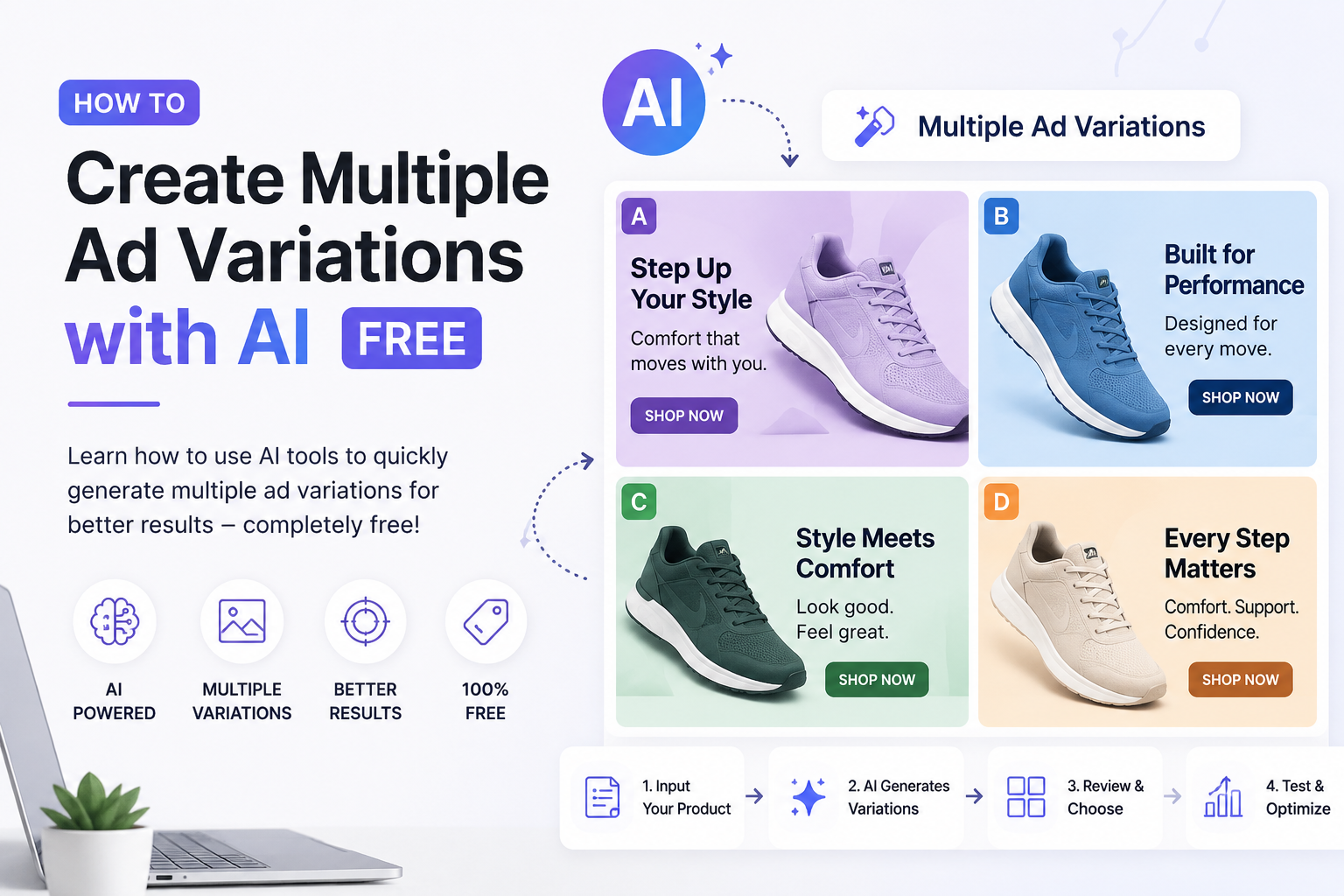
Creating a single ad for a product or service is simple. Generating multiple ad variations that perform well requires strategy, creativity, and clear planning. Many small business owners, e-commerce sellers, freelancers, and beginner marketers struggle to produce diverse headlines, captions, visuals, and calls-to-action (CTAs) that resonate with their target audience.
Artificial Intelligence (AI) simplifies this process and makes it accessible for everyone. Free AI tools, including ChatGPT, ITS AI, Canva, Meta Ad Library, and Google Sheets, allow marketers to transform one product or service into multiple ad versions efficiently. These tools help create compelling headlines, engaging copy, and visually attractive designs without expensive platforms or advanced design skills.
This article provides a complete, step-by-step workflow for generating multiple ad variations using free AI tools. You will learn how to prepare ad inputs, generate unique angles, write persuasive copy, design visuals, organize your ad variations, and track performance for maximum results. By following this process, marketers can save time, reduce guesswork, and improve ad performance consistently.
Why Creating Multiple Ad Variations Matters ?
Single-message ads fail to engage every audience segment. Different audiences respond uniquely to headlines, visuals, and calls-to-action. Testing multiple ad variations identifies the messages that drive clicks, conversions, and measurable engagement.
AI-powered ad variation tools allow marketers to generate several ad versions efficiently. Each variation targets a specific audience segment with tailored headlines, copy, and visual concepts. Testing these variations eliminates guesswork and delivers actionable insights for decision-making.
Creating multiple variations saves time and maximizes advertising budgets. Marketers can run several focused ads, track performance, and allocate spending to top-performing versions. This strategy increases return on ad spend (ROAS) and improves overall campaign efficiency.
Multiple ad variations strengthen brand messaging. They allow marketers to experiment with benefit-focused, problem-solution, urgency-driven, and curiosity-based angles. AI ensures every variation remains unique, relevant, and aligned with audience needs.
Systematically generating and testing multiple ad versions provides clear insights into audience preferences. This approach uncovers marketing opportunities, maximizes engagement, and builds data-driven campaigns that outperform generic ads while driving measurable business growth.
Free Tools You Need to Create AI Ad Variations
Creating multiple ad variations requires the right tools to write, design, research, and organize ads efficiently. Using free AI tools ensures marketers achieve high-quality outputs without extra cost.
1. ChatGPT
ChatGPT generates hooks, headlines, captions, and CTAs. It creates multiple ad angles quickly. Marketers can request variations for benefit-focused, problem-solution, curiosity-driven, urgency-based, or social-proof styles. ChatGPT also suggests visual ideas for each variation.
2. ITS AI Tools
ITS AI Tools provide ready-made templates for Facebook Ads, Google Ads headlines, and ad copy. The platform supports AI text generation,, chatbots, and ad-related content. Marketers can improve existing ads or build new ones based on product details or campaign goals.
3. Canva Free
Canva allows designers to produce simple visual ads, social media layouts, and offer banners. Marketers can create product-focused images, lifestyle visuals, or bold text-overlay designs without design expertise. Canva templates save time and maintain professional quality.
4. Meta Ad Library
Meta Ad Library helps marketers study competitor ad structures, hooks, offers, and visual directions. Using this tool for inspiration ensures unique ad designs while aligning with industry standards. Avoid copying competitor content directly to maintain originality and avoid penalties.
5. TikTok Creative Center
TikTok Creative Center provides short-form video ideas, hooks, and creative inspiration. Marketers can design content for TikTok Reels or Instagram Shorts. The tool helps identify trends and craft engaging visuals suitable for social media campaigns.
6. Google Sheets
Google Sheets organizes ad variations, including headlines, captions, visuals, CTAs, platforms, and test results. Marketers track performance metrics such as CTR, CPC, leads, sales, and conversion rates. Sheets act as a simple ad variation matrix, making testing and optimization systematic.
Step 1: Prepare Your Ad Inputs First
-
List Your Product Details : Write your product or service name, features, benefits, and unique points. Include images, videos, or previous ads.
-
Define Your Audience :Specify age, location, interests, and challenges. Focus on the people most likely to buy.
-
State the Problem and Benefit : Clearly describe the problem your product solves and the benefit customers get.
-
Choose an Offer : Decide on discounts, free trials, or limited-time deals.
-
Select Platforms : Pick where the ads will run: Meta, Google, TikTok, Instagram, or YouTube.
-
Set CTAs and Tone : Choose clear actions like “Shop Now” or “Learn More” and define your brand tone: friendly, professional, or bold.
-
Organize Inputs in One Sheet : Combine all the details in a single document or spreadsheet. This gives AI the exact information it needs.
Example Prompt for AI:
"Create 10 ad variations for [product/service] targeting [audience]. Include unique headline, caption, CTA, and visual idea. Use the offer [offer] and brand tone [tone]. Optimize for [platform]."
Step 2: Choose Your Ad Variation Method
After preparing your ad inputs, select a method to generate ad variations based on your available resources.
-
Product Details Method : Use this when you have a product, website, or landing page ready. Provide AI with all product features, benefits, and images to create headlines, copy, CTAs, and visual ideas.
-
Existing Ad Improvement Method : Use this when you have previous ads or social posts. Feed existing copy into AI and ask it to create variations using benefit, problem-solution, urgency, or curiosity angles.
-
Competitor Inspiration Method :Study competitors in Meta Ad Library or TikTok Creative Center. Note hooks, offers, and visual styles. Use them for inspiration only, and create original variations aligned with your brand.
-
Build From Scratch Method : Use this when you have no prior ads or landing pages. Provide AI a clear prompt including product, audience, offer, benefit, CTA, and platform. This ensures the generated variations are precise and actionable.
Step 3: Generate Your First Ad Variation Ideas
With ad inputs ready and your method selected in Step 2, begin creating the first set of ad ideas.
-
Create 5-10 Core Ideas : Instruct AI to generate multiple headlines, captions, CTAs, and visual concepts using the product, audience, offer, and tone defined in Step 1.
-
Apply Different Angles : Include benefit-focused, problem-solution, urgency-driven, social proof, and curiosity-based approaches. Each variation targets a specific audience need.
-
Incorporate Visual Concepts : Suggest imagery for each ad: product-focused images, lifestyle visuals, bold text overlays, or testimonial graphics. Visuals increase engagement and clarity.
-
Use AI Prompts Effectively : Provide precise instructions to AI. Example:
"Create 10 ad variation ideas for [product/service] targeting [audience]. Include headline, short caption, CTA, and visual idea. Use offer [offer] and brand tone [tone]. Optimize for [platform]." -
Review for Uniqueness : Ensure no two variations communicate the same message. Each idea should offer a distinct approach, testing a different audience response.
Step 4: Create Multiple Headlines with AI
Use the initial ad ideas from Step 3 to generate multiple headlines that capture attention and communicate the product’s value clearly. Headlines determine whether users engage with your ad, so each must be strong and distinct.
-
Generate 5-10 Headlines per Idea : Provide AI with each ad idea and ask for several headline variations. Ensure each headline targets a specific angle, such as benefit-focused, problem-solution, urgency, curiosity, or offer-based.
-
Maintain Audience Relevance: Tailor headlines to the audience segments defined in Step 1. Focus on solving their problems, highlighting key benefits, or creating urgency that motivates action.
-
Use Active and Clear Language : Every headline should be concise, readable, and action-oriented. Avoid generic phrases or vague terms.
-
Test Different Styles:Create headlines with varying tones: motivational, authoritative, playful, or bold. Diverse styles help identify which resonates best with your audience.
-
Example AI Prompt:
"Generate 10 headline variations for [product/service] targeting [audience]. Use different angles: benefit, problem-solution, curiosity, urgency, offer, and social proof. Keep headlines short, clear, and suitable for [platform]."
Step 5: Generate Ad Copy Variations
Use the headlines created in Step 4 to develop complete ad copy that motivates users to take action. Each copy variation should communicate the product’s value clearly and address audience needs directly.
-
Write Short, Medium, and Long Copies :Create concise messages for fast-scrolling platforms and detailed explanations for high-value offers. Each copy should test a unique angle.
-
Apply Multiple Angles : Include problem-solution, benefit-focused, urgency-driven, trust-building, offer-focused, and emotional appeal messages. This variety allows testing which approach converts best.
-
Align with Headlines and CTAs : Ensure the ad copy supports the headline and matches the call-to-action. Consistency increases clarity and user engagement.
-
Use Precise AI Prompts
-
Example:
"Generate 10 ad copy variations for [product/service] targeting [audience]. Use different angles: problem-solution, benefit, urgency, trust, offer, and emotional appeal. Keep the copy clear, concise, and suitable for [platform]." -
Review for Uniqueness and Relevance : Each copy must communicate a distinct message. Avoid repeating the same idea in multiple variations.
Step 6: Create CTA Variations
Step 6: Create CTA Variations
Every ad requires a clear call-to-action (CTA) that guides users toward the desired action. Diverse CTAs increase conversion by targeting different audience readiness levels.
-
Generate Multiple CTAs : Create 3-5 variations for each ad idea. Include action verbs such as “Shop Now,” “Learn More,” “Get Started,” “Book Now,” or “Claim Offer.”
-
Group by Intent :Organize CTAs by purpose:
-
Learning: Learn More, Discover More
-
Buying: Shop Now, Buy Now, Order Today
-
Trial/Sign-up: Try Free, Start Free, Join Today
-
Booking: Book Now, Schedule a Call, Request a Demo
-
Offers: Claim Offer, Get the Deal, Save Today
-
Messaging: Send Message, Chat Now, Ask Us
-
Align CTAs with Headlines and Copy : Each CTA should complement the headline and ad copy. Ensure the action is clear and relevant to the offer.
-
Use AI Prompts Effectively Example:
"Generate 20 CTA variations for [product/service] targeting [audience]. Group them by intent: learn, buy, sign up, book, message, claim offer. Keep each CTA short, clear, and action-oriented." -
Review and Select : Keep the CTAs that are most direct, relevant, and actionable. Remove repetitive or vague CTAs.
Step 7: Design Visual Variations Using Free Tools
Step 7: Design Visual Variations Using Free Tools
Visuals capture attention and enhance ad engagement. Each ad variation must include distinct imagery that aligns with the headline, copy, and CTA.
-
Select Visual Styles :Create 3-5 visual designs for each ad idea. Include:
-
Product-Focused: Show the product clearly.
-
Lifestyle: Display the product in real-life use.
-
Problem-Solution: Highlight the pain point and how the product solves it.
-
Offer-Based: Emphasize discounts, bundles, or limited-time deals.
-
Testimonial: Use customer quotes or ratings.
-
Minimal Design: Keep one strong visual with clean text overlay.
-
Bold Text Overlay: Combine attention-grabbing text with the product image.
-
Use Free Tools Efficiently :Platforms like Canva Free and ITS AI Tools allow creation of visually appealing ads without design expertise. Use templates for faster design while maintaining originality.
-
Align Visuals with Ad Elements : Each visual must complement the headline, ad copy, and CTA. Ensure color, font, and layout follow your brand identity.
-
Include Visual Guidance in AI Prompts Example:
"Suggest 10 visual ad concepts for [product/service] targeting [audience]. Include image idea, headline placement, CTA placement, and design style. Make each idea easy to create in Canva Free." -
Organize and Label Designs : Save each design with a reference to its headline, copy, and CTA. This organization simplifies testing and performance tracking.
Step 8: Build a Simple Ad Variation Matrix
Organizing all ad elements ensures efficient testing and clear performance tracking. A matrix allows marketers to combine headlines, copy, CTAs, and visuals systematically.
-
Create a Spreadsheet :Use Google Sheets or Excel to track each ad variation. Include columns for:
-
Ad Version
-
Headline
-
Copy Angle
-
CTA
-
Visual Idea
-
Platform
-
Combine Elements Strategically :Link headlines, copy, CTAs, and visuals in all logical combinations. This ensures each variation tests a unique message and design.
-
Add Performance Columns : Include CTR, CPC, conversions, leads, sales, and status. Track which ad versions perform best for data-driven optimization.
-
Keep the Matrix Simple :Avoid overcomplicating with unnecessary columns. Focus on essential elements that affect ad performance.
-
Update Regularly : As ads run and generate results, update the matrix to reflect performance. Mark variations as “Keep,” “Pause,” or “Improve” to guide future testing.
Step 9: Review Every AI-Generated Ad Before Publishing
Before launching any ad variation, perform a thorough review to ensure clarity, relevance, and consistency.
-
Check Message Alignment :Ensure the headline, ad copy, CTA, and visual communicate the same idea. Each ad must clearly convey the product benefit or offer.
-
Verify Brand Consistency :Confirm colors, fonts, logos, and tone match your brand identity across all variations. Consistency builds trust and recognition.
-
Ensure Clarity and Readability: Review text placement, font size, and visual hierarchy. Ads must be easy to read on all devices.
-
Validate Offers and Claims : Confirm that all promotions, discounts, or claims are accurate and verifiable. Avoid including statements that cannot be supported.
-
Check Platform Compatibility :Ensure each ad variation meets the specifications for the chosen platform, including image dimensions, video length, and text limits.
-
Use AI for a Second Review: Example prompt:
"Review this ad variation for clarity, brand tone, offer strength, and CTA match. Identify what works, what is confusing, and what can be improved."
Step 10: Test Your Ad Variations
Testing ensures each ad variation reaches the intended audience and achieves measurable results.
-
Select a Small Batch :Start with 3-5 ad variations per campaign. Testing too many at once complicates analysis and reduces clarity.
-
Keep Audience and Campaign Goals Consistent : Test variations with the same target audience and objective. This isolates the effect of each creative element.
-
Monitor Key Metrics :Track click-through rate (CTR), cost per click (CPC), conversions, leads, and sales. Focus on metrics that measure real business outcomes, not just likes or impressions.
-
Use Platform Tools: Leverage analytics dashboards on Meta, Google, TikTok, or Instagram to monitor ad performance in real time.
-
Record Results in Your Matrix : Update your ad variation matrix with performance data. Mark top performers as “Keep,” underperformers as “Pause,” and variations to improve as “Adjust.”
-
Adjust Test Duration Appropriately : Allow ads to run long enough to collect statistically relevant data. For small campaigns, 3-5 days provides initial insights; larger campaigns may require longer.
Step 11: Track Results and Find Winners
Tracking allows you to identify which ad variations perform best and deliver real business results.
-
Monitor Key Performance Metrics : Focus on CTR, CPC, conversions, leads, sales, CPA, and ROAS. Use these metrics to measure the effectiveness of each ad variation.
-
Compare Variations Objectively: Evaluate performance based on data, not personal preference. Analyze which headlines, copy angles, visuals, and CTAs generate the highest engagement and conversions.
-
Update the Ad Variation Matrix : Record results in your spreadsheet. Mark top-performing variations as “Keep,” low performers as “Pause,” and variations with potential as “Improve.”
-
Identify Patterns : Look for trends across variations. Benefit-focused headlines, trust-building visuals, or urgency-based CTAs may consistently outperform others.
-
Use Insights for Optimization : Use the data to refine ad copy, visuals, and CTAs. Apply winning elements to future ad sets for consistent improvement.
-
Leverage AI for Analysis Example prompt:
"Analyze these ad variation results and identify the best-performing headline, copy angle, CTA, and visual style. Recommend which ads to keep, pause, or improve based on CTR, CPC, conversions, and ROAS."
Mistakes to Avoid When Creating AI Ad Variations
AI can help you create ad variations faster, but it can also produce weak results if your inputs, designs, or testing process are not clear. Before you publish or test your ads, check these common mistakes so your variations stay useful and easy to compare.
-
Only changing words: Do not create variations that say the same thing with different wording. Test different angles like problem, benefit, offer, urgency, and trust.
-
Using vague prompts: AI gives weak results when your prompt is unclear. Include your product, audience, offer, platform, and goal.
-
Copying competitor ads: Use competitor ads for structure and inspiration only. Do not copy their headline, design, or exact message.
-
Ignoring brand tone: Your ads should still sound like your business. Adjust AI-generated copy if it feels too generic.
-
Adding too much text to visuals: A crowded design is hard to read. Keep one main message, one strong visual, and one clear CTA.
-
Testing too many ads at once: Start with a small batch of strong variations. Too many ads can make tracking harder, especially with a small budget.
-
Judging ads too early: Give your test enough time to collect useful data before you pause or scale anything.
-
Tracking only likes or views: Focus on results that match your goal, such as clicks, leads, sales, bookings, CPA, or ROAS.
-
Skipping human review: AI can speed up the process, but you still need to check the message, offer, claims, and design before publishing.
Practical AI Prompts to Create Free Ad Variations
A strong prompt tells AI exactly what to create. Add your product, audience, platform, offer, tone, and output format so the tool gives useful ad variations instead of generic ideas.
Use these prompts in ChatGPT, ITS AI Tools, Canva, or any free AI ad generator.
1. Prompt for Ad Angles
“Create 10 unique ad angles for [product/service] targeting [audience] on [platform]. Include problem-solution, benefit, urgency, trust, offer, curiosity, and emotional appeal. Keep each angle different and explain why it could work.”
2. Prompt for Headlines
“Write 20 short headline variations for [product/service] targeting [audience]. Use different styles: benefit-focused, problem-focused, curiosity, urgency, social proof, and offer-based. Keep each headline clear, natural, and under 10 words.”
3. Prompt for Ad Copy
“Create 10 ad copy variations for [product/service] targeting [audience]. Each version should use a different message angle. Keep the copy simple, human, and suitable for [platform]. Avoid repeating the same idea in different words.”
4. Prompt for CTAs
“Create 20 CTA variations for [product/service]. Group them by intent: learn, buy, sign up, book, message, and claim offer. Keep each CTA short, clear, and action-focused.”
5. Prompt for Visual Ideas
“Suggest 10 visual ad concepts for [product/service] targeting [audience]. Include image idea, headline placement, CTA placement, and design style. Make each idea easy to create in Canva Free.”
6. Prompt for Video Ad Hooks
“Create 10 short video ad hooks for [product/service] targeting [audience]. Make them suitable for TikTok, Instagram Reels, or YouTube Shorts. Use different styles: problem, curiosity, benefit, offer, and story-based.”
7. Prompt for Reviewing an Ad
“Review this ad variation for clarity, brand tone, offer strength, and CTA match. Tell me what works, what feels confusing, and what I should improve before publishing.”
8. Prompt for Improving a Winning Ad
“Here is my best-performing ad variation: [paste ad]. Create 10 new versions based on the same winning angle. Keep the core message similar, but test new headlines, captions, CTAs, and visual ideas.”
9. Prompt for Turning One Ad into Many Variations
“Turn this one ad into 10 different variations for [platform]. Change the headline, copy angle, CTA, and visual idea in each version. Make sure each variation tests a different message, not just different wording.”
10. Prompt for Organizing Variations
“Create a table of 10 ad variations for [product/service]. Columns should include ad angle, headline, short copy, CTA, visual idea, and platform. Keep the variations clear and easy to compare.”
These prompts work best when you replace the brackets with real details. The clearer your product, audience, offer, and platform are, the stronger your AI ad variations free workflow will become
Final Thoughts
Creating multiple ad variations becomes efficient when you follow a structured process. Use free tools like ChatGPT, ITS AI Tools, Canva, Meta Ad Library, and Google Sheets to plan, write, design, organize, and test ad versions without complicating the workflow.
Focus on real differences in headlines, copy angles, CTAs, visuals, offers, and audience messages. Each variation should provide unique insights into audience behavior and engagement before increasing ad spend.
Start with a small batch, monitor results, and improve high-performing ads. Over time, this AI-driven ad variation workflow accelerates, becomes more precise, and consistently produces data-backed, high-performing ad campaigns.